The problem
The first problem is attention. Microsoft’s 2025 Work Trend findings describe employees being interrupted every two minutes on average during core work hours. In that environment, a 40-metric dashboard does not create clarity by default. It creates another surface to scan. If the operating page cannot make the next decision easier within seconds, it becomes one more demand on already fragmented attention.[1]
2 min
Average interruption cadence during core work hours
A dashboard that cannot answer the next decision quickly becomes one more interruption.
Source: Microsoft WorkLab — Breaking down the infinite workday — External research on work fragmentation used to frame dashboard attention costs.
The second problem is how dashboards get built. Tableau’s own dashboard guidance says a dashboard succeeds when people can easily derive answers, and that simplified design should make complex decisions easier. Many teams build the opposite way. They start with whatever metrics are easiest to pull from each platform, arrange them into a dashboard, and call the result visibility. That is data availability masquerading as operating logic.[3]
The third problem is context. Salesforce’s 2026 State of Marketing reports that many marketers still struggle to respond in real time because they cannot access the data they need, and access across service, sales, and commerce systems remains partial. When the underlying systems are fragmented, the dashboard inherits that fragmentation. Teams end up looking at what is easy to extract instead of what would actually change a budget or staffing decision.[2]
Cross-functional data access remains partial
Source: Salesforce — State of Marketing — Selected cross-functional access figures from Salesforce’s marketing benchmark reporting.
In our own audits, the visible result is performance theater: plenty of activity metrics, very little operational movement, and recurring reviews that end with the same plan everyone brought into the room. The cost is not just wasted meeting time. It is that teams gradually normalize reporting that cannot tell them what to do next.
- 1
Start with decisions, not data
Define the recurring budget and effort decisions first, then include only the metrics that sharpen those decisions.
- 2
Limit the operating view to 5-8 metrics
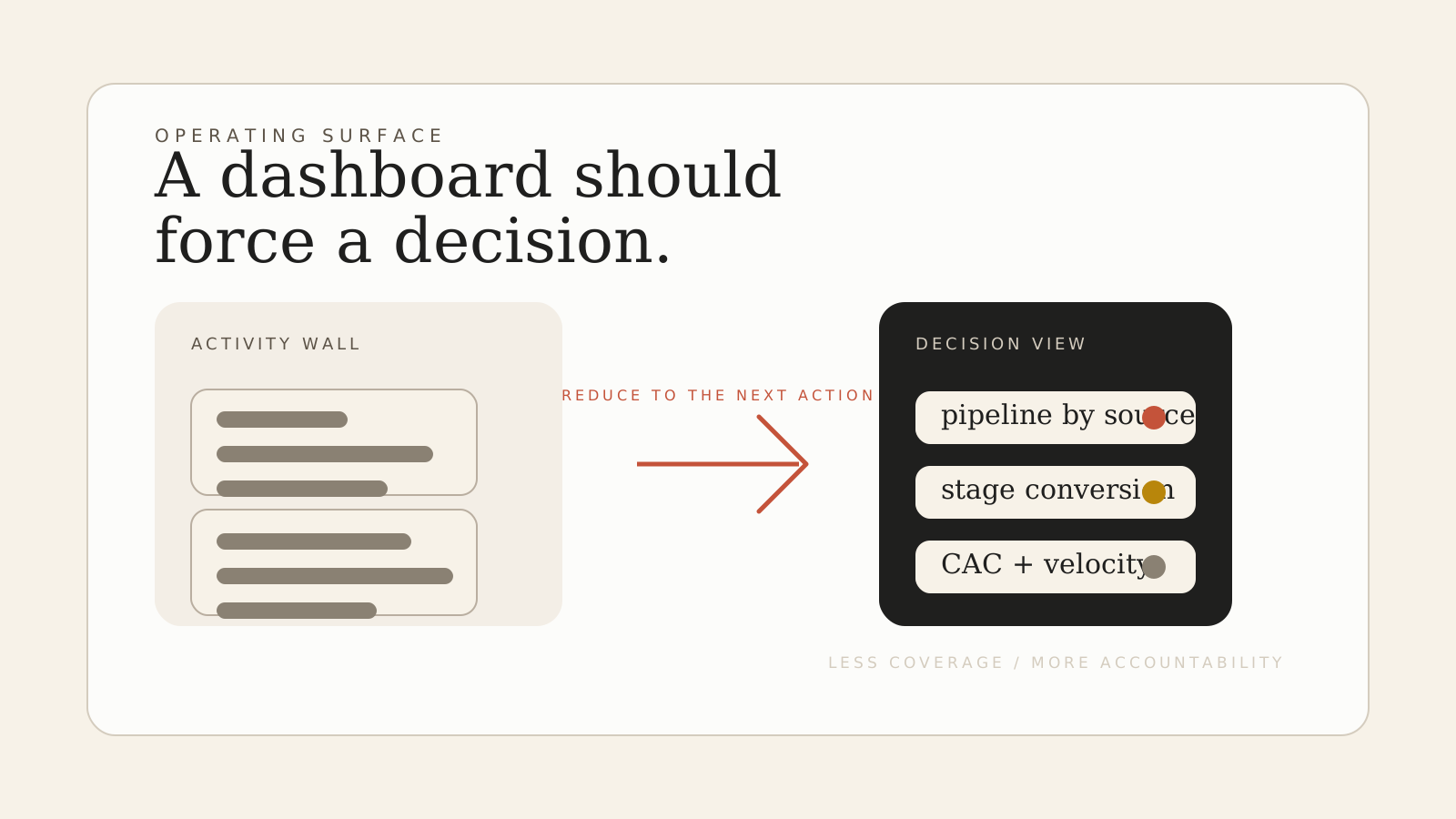
A compact dashboard forces prioritization and keeps attention on pipeline, stage conversion, CAC, velocity, and a short list of leading indicators.
- 3
Apply the 20% action test
If a metric moved materially and would not change what the team does next, remove it from the primary operating view.
- 4
Use a single-screen decision surface
The primary dashboard should answer core performance questions in seconds without scrolling or cross-referencing multiple tabs.
- 5
Separate operations from analysis
Keep diagnostic detail in secondary views so analysts can investigate movement without cluttering the operating surface.
In practice
Start by naming the recurring decisions the dashboard is supposed to support. For most growth teams, the list is short: where to invest more, where to pull back, and what to investigate. If a metric does not improve one of those decisions, it does not belong on the primary operating surface.
Then compress the operating view aggressively. Five to eight metrics is usually enough: pipeline by source, stage conversion, CAC by channel, sales-cycle velocity, and one or two leading indicators that actually predict what happens next. Supporting detail should live in a secondary diagnostic view for analysts, not on the screen that leaders use to decide.[3]
53 → 7
Metrics on the operating dashboard
Illustrative internal redesign pattern: fewer metrics, faster action, less reporting theater.
Source: Internal dashboard redesign pattern — Anonymized operator observation from weekly reporting simplification work.
Finally, review the dashboard the way you review a system, not a slide. Remove any metric that can move materially without changing the team’s next action. Add notes only when they change a decision. The right dashboard should feel a little severe. That is how you know it is protecting attention instead of consuming it.
Wondering if your dashboard is lying to you?
We’ll audit your current reporting and show you what’s missing: the metrics that would actually change how you allocate budget and effort.
Get a Decision Framework ReviewFrequently asked questions
Last reviewed 2026-03-08
What makes a dashboard useful?+
A useful dashboard helps a specific audience derive answers quickly enough to change what they do next. If it cannot improve a recurring decision, it is probably a report, not an operating tool.
How many metrics should be on an operating dashboard?+
For most growth teams, five to eight core metrics is enough for the primary operating view. The exact number matters less than whether each metric supports a real recurring decision.
What is the difference between an operating dashboard and an analysis view?+
An operating dashboard is for fast, recurring decisions. An analysis view is for diagnosing why something moved. Teams need both, but they should not be the same screen.
How do you know a metric does not belong on the dashboard?+
If the number moved materially and the team would not change budget, effort, or investigation priority, it does not belong on the primary operating surface.
References
[1] Microsoft WorkLab — Breaking down the infinite workday
Reports the pace of interruptions and attention fragmentation during the modern workday.
[2] Salesforce — State of Marketing
Summarizes marketer challenges around real-time response and access to cross-functional data.
[3] Tableau Blueprint — Visual Best Practices
Defines dashboard success in terms of helping people derive answers and making complex decisions easier.
Read next
More data isn’t more clarity
You’re tracking everything and understanding nothing. Here’s how data abundance creates decision paralysis instead of insight.
When you can’t trace revenue back to its source
Most teams know something is working. They just can’t prove which thing. Here’s how the attribution gap forms, and what to do about it.
Your analytics show growth. Your revenue doesn’t.
Traffic is up. Engagement looks healthy. But revenue is flat. Here’s why the metrics that feel like progress often aren’t.